What is RSS, and How Do I Subscribe to Your Website?

Introduction
You’ve probably seen the little RSS icons next to Articles and Free chapters in the footer and on the section pages. If you’re new to RSS, those icons might not mean much to you. This post aims to fill in the missing pieces. We explain what RSS is, why we publish through it, and then briefly, how to read our posts in a feed reader of your choice.
What Does RSS Mean?
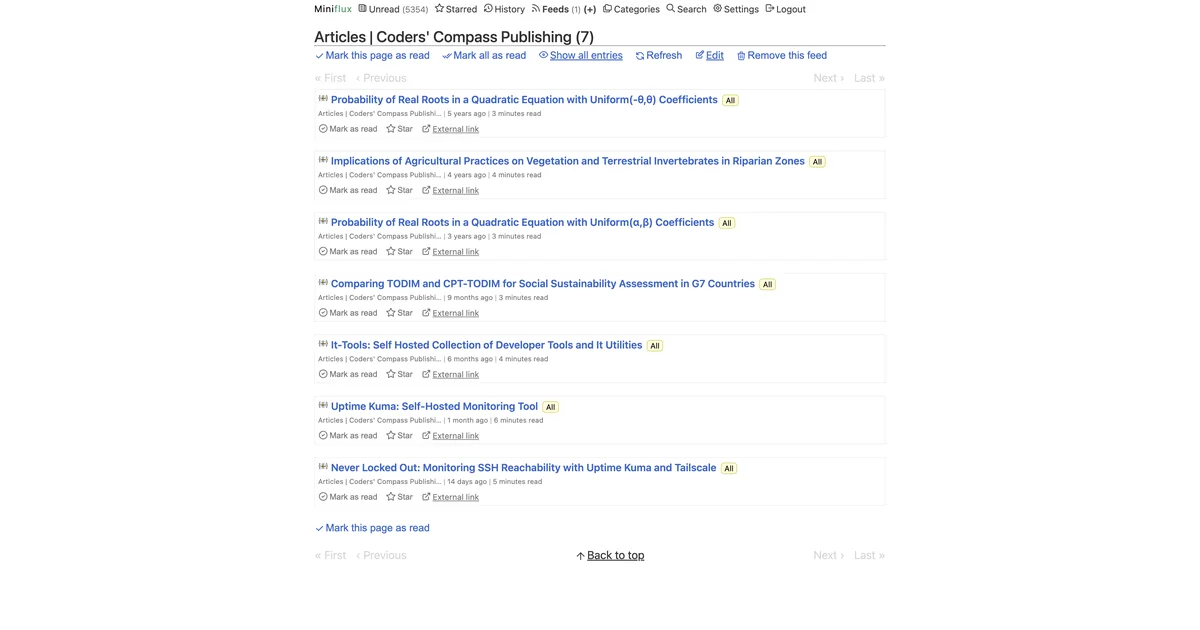
RSS (short for Really Simple Syndication) is a small, machine-readable file that a website publishes alongside its regular pages. Every time we publish a new article, our RSS file updates with that article’s title, a summary, and a link back to the full version. A feed reader repeatedly checks our RSS file on your behalf and shows you what is new. More importantly, it is software that you control.
This hails from an earlier era of the internet. The standard goes back to the late 1990s, and the protocol-level history is summarised well on the Wikipedia page for RSS. A close cousin called Atom does the same job with a slightly different XML format. Most feed readers can handle both interchangeably, so the distinction rarely matters in practice.
Why Would I Need It?
Unlike email newsletters and social media timelines, a feed reader provides three distinct advantages:
- No account or email address is needed. You add our feed URL to your reader, and you’re done. We never learn that you subscribed, which is the entire point.
- No algorithm reorders your reading. Posts appear in the order they were published. A week of silence from us means no new updates in your feed reader. You won’t find any surprise filler, “people you may know” features, or engagement loops here.
- Portability. Your subscription list is yours. Most readers export to an OPML file, and any other reader will import that file. You have the freedom to use any platform you choose.
How Do I Set Up Feed Readers?
There is no single best reader. Your ideal choice hinges on your preference for self-hosting, your primary reading device (mobile or desktop), and your budget (which is often $0). The shortlist below is FOSS-first. In the interest of full transparency, this post’s author operates Miniflux as the back-end and CapyReader on Android.
Durable Subscription Options
- Miniflux is a minimalist, fast, single-binary self-hosted reader written in Go. Licensed under Apache 2.0. Note that it requires PostgreSQL. You can self-host it with Docker Compose. If self-hosting feels like too much, the same developers run a hosted plan at miniflux.app for roughly $15/year (excellent value). The project also accepts donations via Liberapay.
- FreshRSS is also multi-user PHP self-hosted reader with Docker Compose setup and broader database support. Released under the AGPL-3.0 licence and accepting donations via its Liberapay.
Both speak the long-standing Google Reader and Fever APIs, so a wide range of mobile and desktop clients can sync against either of them (confirmed by the official docs: Miniflux, FreshRSS).
Options For Reading On Your Devices
- NetNewsWire is a native macOS and iOS app under the MIT licence. Syncs via iCloud. There is no paid tier; the project runs on volunteer time. If you really want to help, they suggest some excellent ways to do so while spending no money on them.
- CapyReader is an Android client (also on F-Droid) that pairs cleanly with Miniflux, FreshRSS, and other Fever/Google Reader back-ends. The developer accepts donations on Ko-fi.
- NewsFlash is a GTK reader for Linux desktops, suitable for GNOME users who would like a native experience. Written mostly in Rust, it is a spiritual successor to FeedReader. It is licensed under GPL v3. The ecommended way of helping the project is to volunteer your time.
Web-Hosted Options
If you would rather not self-host or install an app, two well-known web readers cover that ground: Inoreader and Feedly. Both are closed-source and use a freemium model. Inoreader’s Pro tier sits around €80/year, and Feedly now positions itself primarily as an AI-driven enterprise intelligence platform, with its free tier capped at 100 sources. You can still use them as free starter accounts. We mention them to ensure the list accurately reflects the non-FOSS landscape.
Once you have chosen a reader, the rest of this post applies to all of them.
Subscribe To Coders’ Compass
Prerequisite: a feed reader installed and open, with its “Add subscription” (or “New feed”) screen visible.
Step 1. Copy whichever feed URL matches what you want to follow:
1# Articles:
2
3https://coderscompass.org/articles/index.xml
4
5# Free chapters:
6
7https://coderscompass.org/free-chapters/index.xml
Step 2. Paste the URL into the “Add subscription” field in your reader.
Step 3. Confirm. Your reader should fetch the feed within a few seconds and show a list of recent posts. If it does not, double-check the URL has not picked up any leading or trailing whitespace.
If pasting the explicit .xml URL is fiddly, most readers also accept the homepage URL https://coderscompass.org/ and discover the feeds automatically through the <link rel="alternate"> tags we include in the HTML head. Either route works.
Troubleshooting
- The reader fetched the feed but shows nothing. Most readers poll on an interval. Wait a few minutes and refresh, or trigger a manual refresh from the reader’s menu.
- The reader refuses the URL. Try the homepage URL
https://coderscompass.org/instead and let the reader auto-discover. - Your reader complains about TLS. We serve HTTPS with a current certificate, so no action is needed on your side. If the reader still complains, it is almost certainly out of date.
That should be everything you need to get our articles and chapters into your reading rhythm. If you run into any issues, ask for help in the comments below, or get in touch with us.
Comments